Rytass CMS
Designed the content architecture, editorial UI, and component system for a production CMS, from zero to deployed, with full engineering handoff.
Core Concept
A standardised production CMS and rebuilt design system that replaced fragmented, client-by-client implementation with a shared editorial foundation — role-based, state-aware, and shipped with full engineering handoff.
My Role
- Design systems leadtokens, components, and interaction patterns for Mezzanine
- Editorial UXpublishing flows, navigation, forms, and state patterns
- Documentation & handoffvariants, usage guidelines, and Storybook
- Partnered with PM and engineering throughout
Overview
A shared CMS and design system, standardised
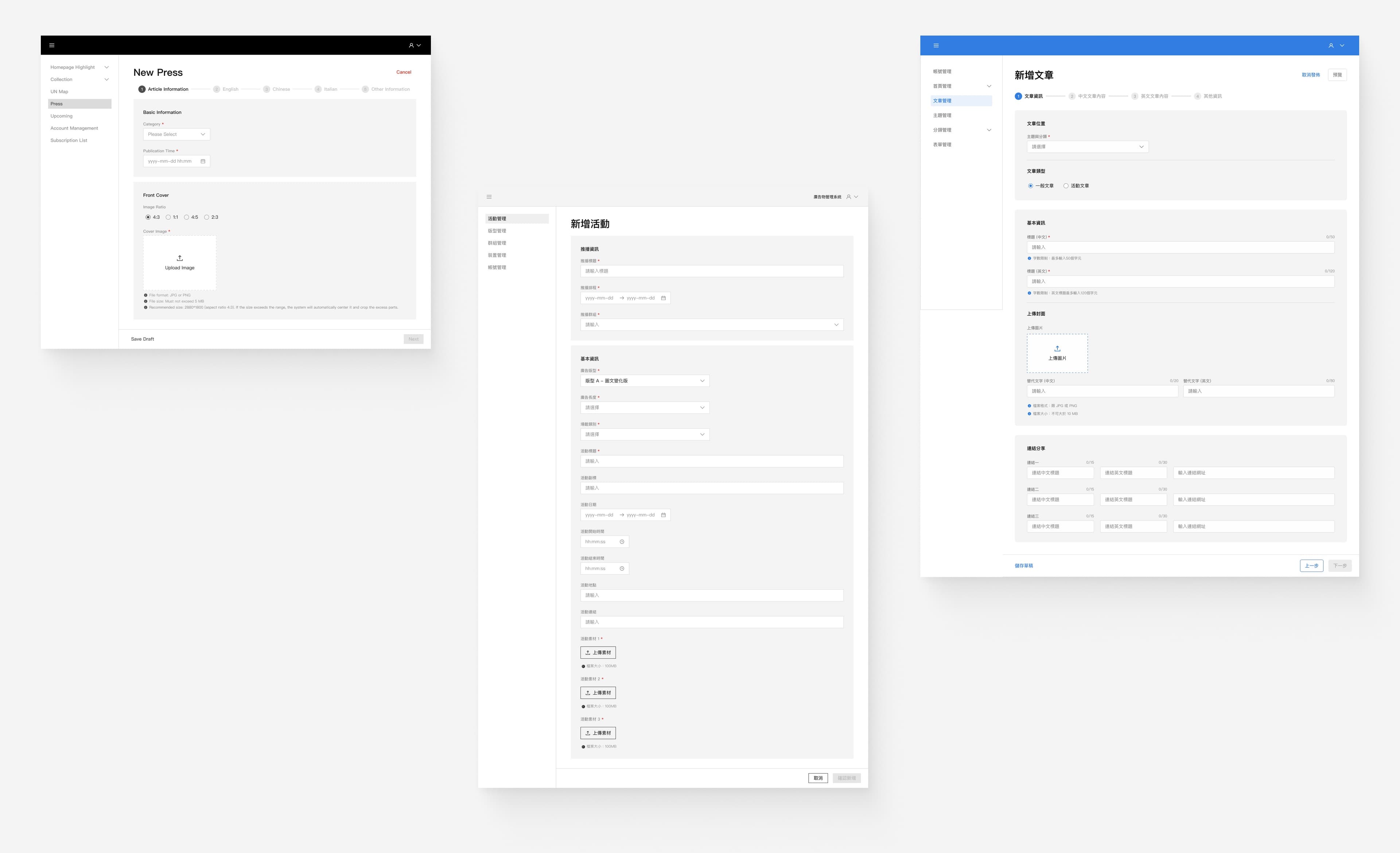
Standardized Rytass's client-by-client CMS into a shared, role-based publishing product, supported by a rebuilt Mezzanine design system.
The Problem
Each client CMS drifted into a different structure over time, causing repeated rebuild work, inconsistent editor and admin workflows, and higher training overhead. The CMS needed a shared foundation that could support different content types without a redesign for every new client.
Design System
Mezzanine — built for the shared CMS
Mezzanine
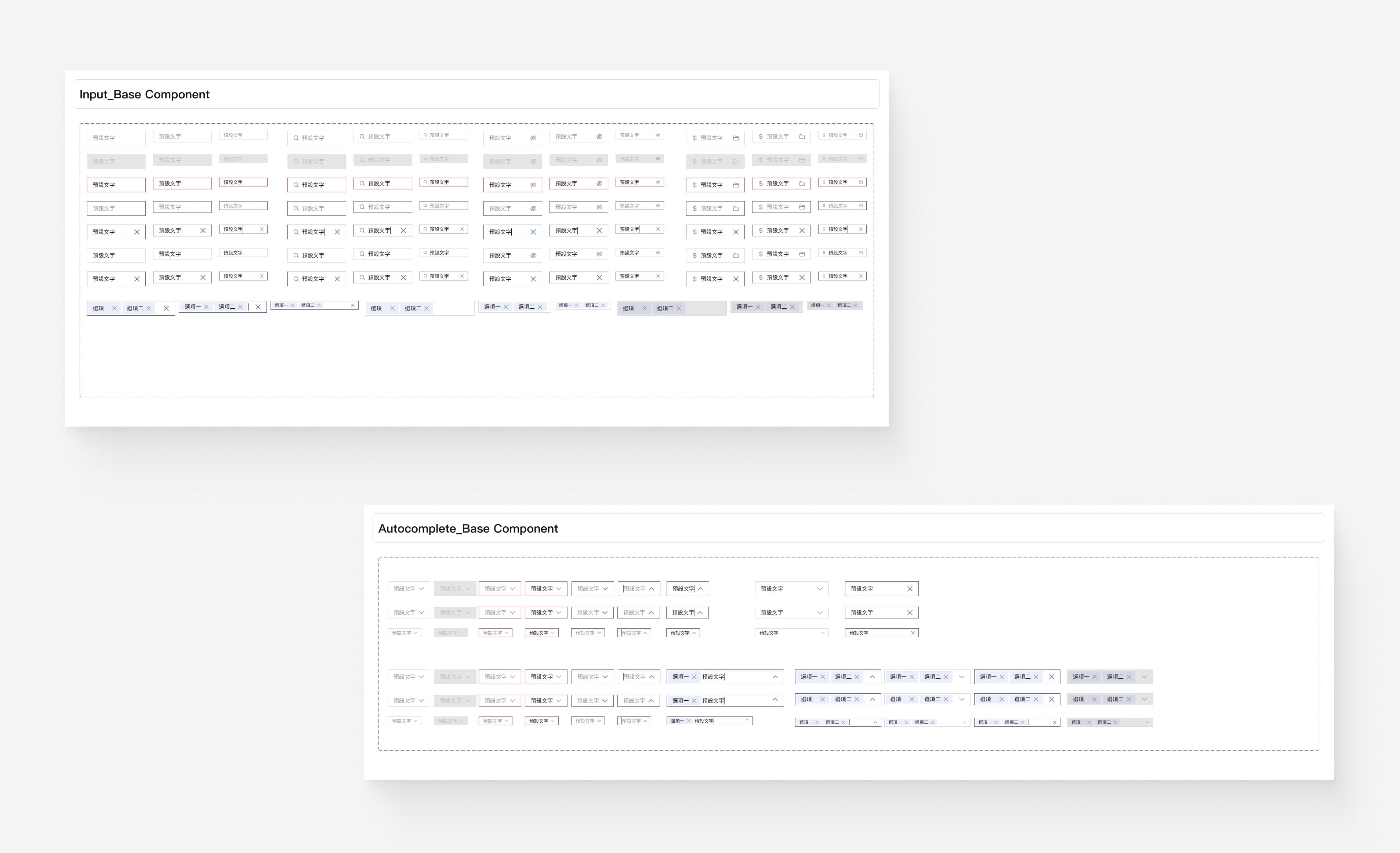
Open-source, internally developed, and used across the CMS. I rebuilt the foundations and defined components and interaction patterns for content creation and publishing — navigation, forms, tables, states, and error patterns — with documented variants and usage guidelines for consistent cross-client delivery.
Storybook: storybook.mezzanine-ui.org
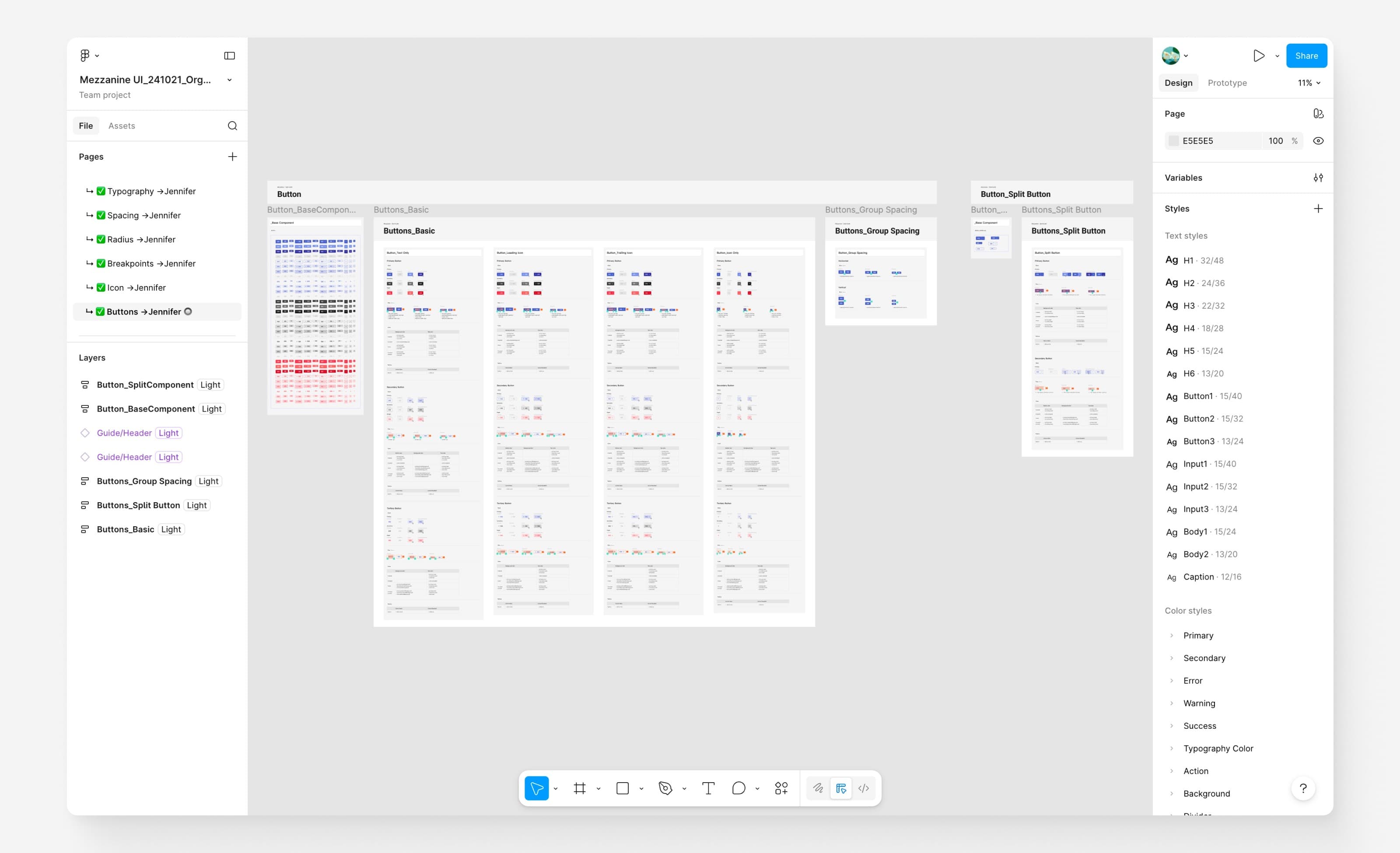
Mezzanine: light/dark mode via semantic token swap
Quadrant — embedded article editor
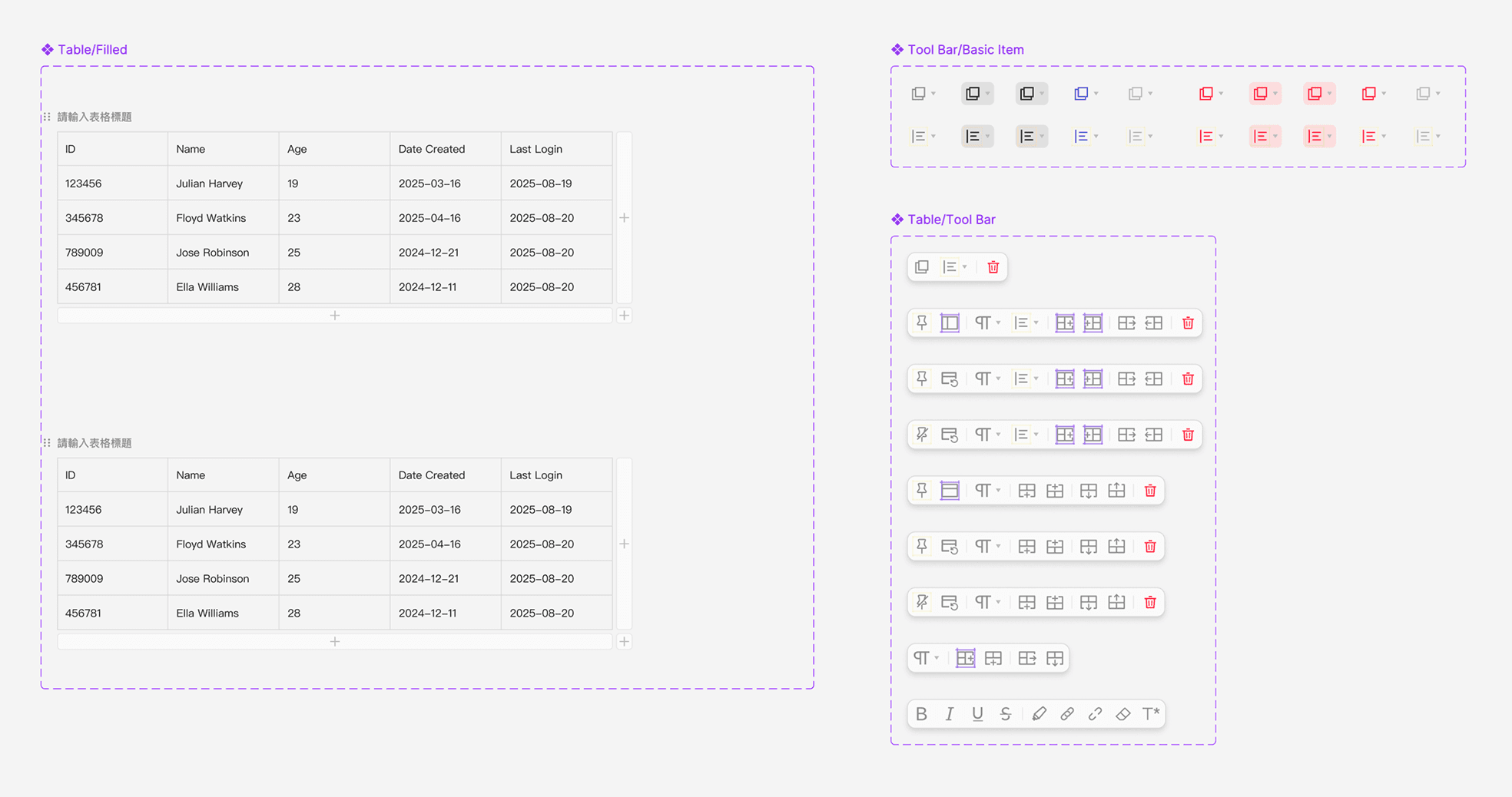
Quadrant is the CMS's open-source block editor for composing and managing content within an article. My focus was designing and integrating a table block — previously unsupported — covering insert, resize, copy/paste, and responsive edge cases. demo.quadrats.io
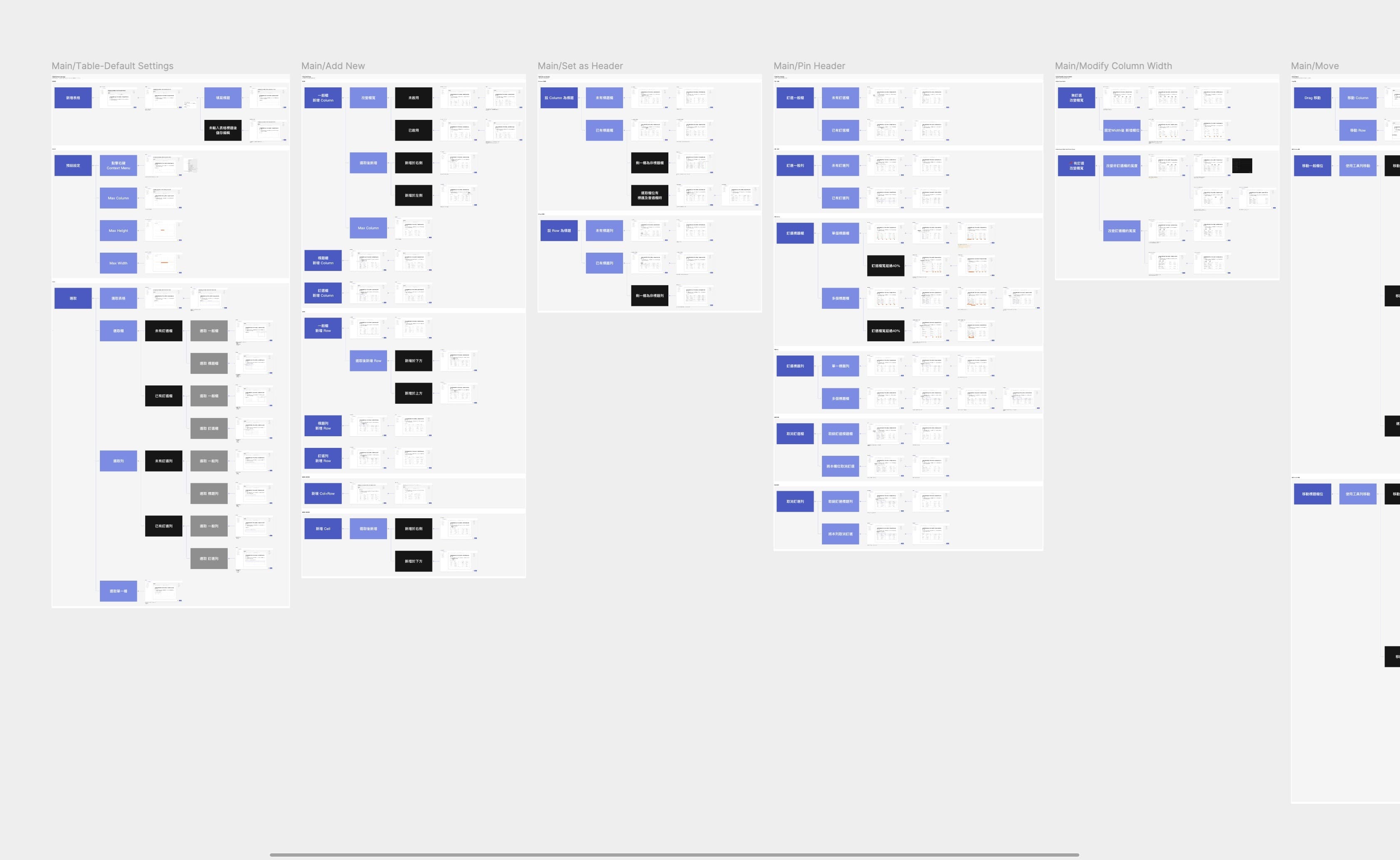
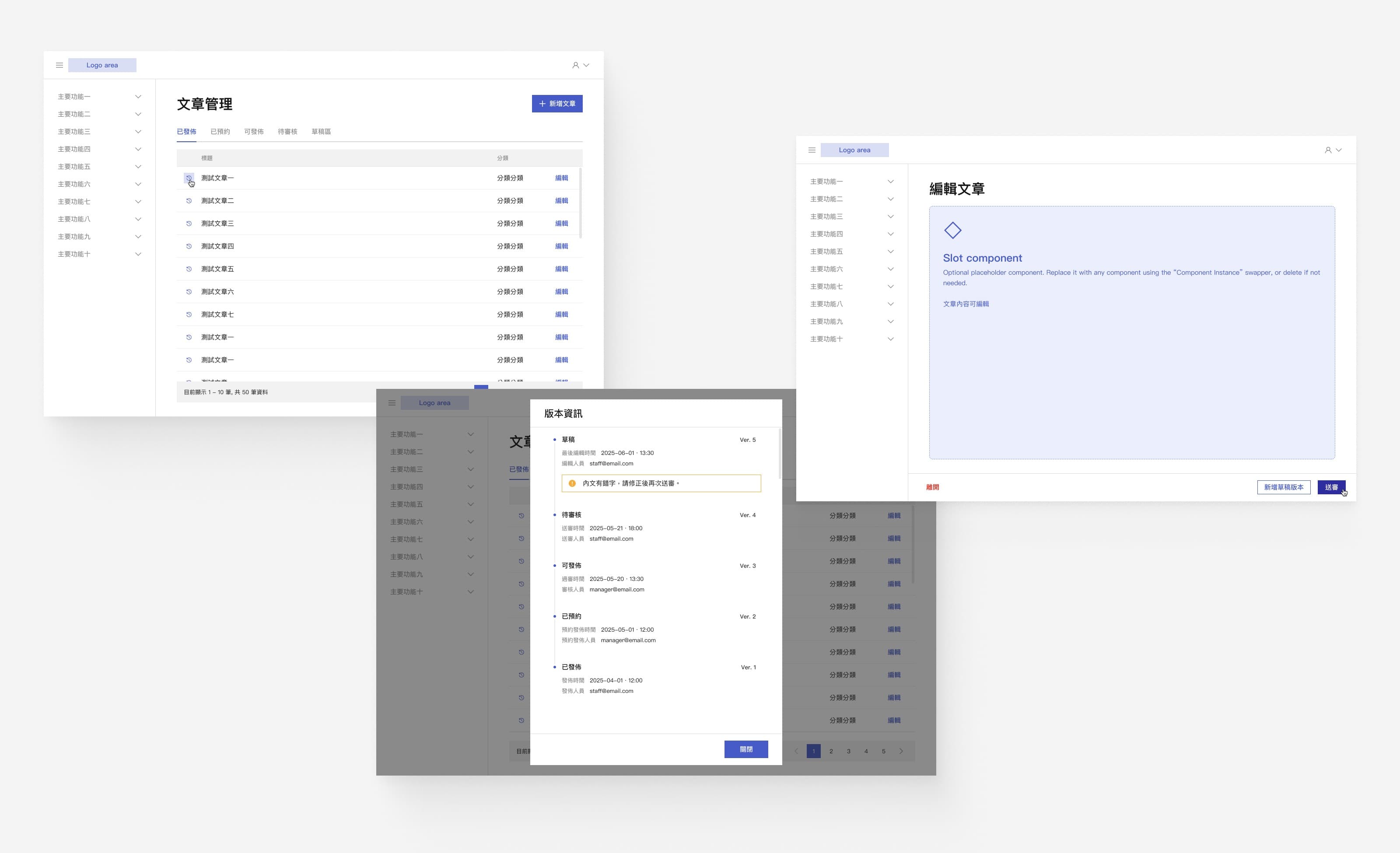
Interaction flow: create, edit, merge, publish
Key Challenge
Editorial state and versioning
Problem Statement
How might we design an editorial workflow where state, version, and role are always legible — so editors and admins know exactly where content is and what comes next?
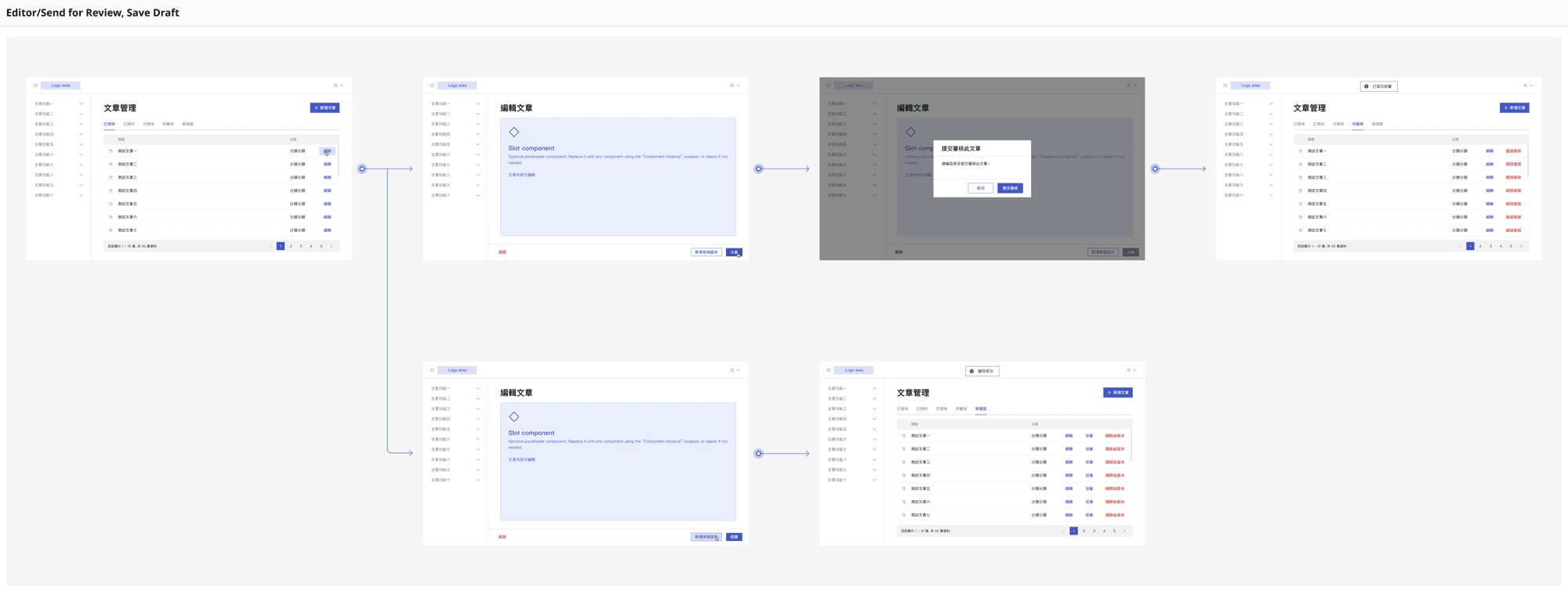
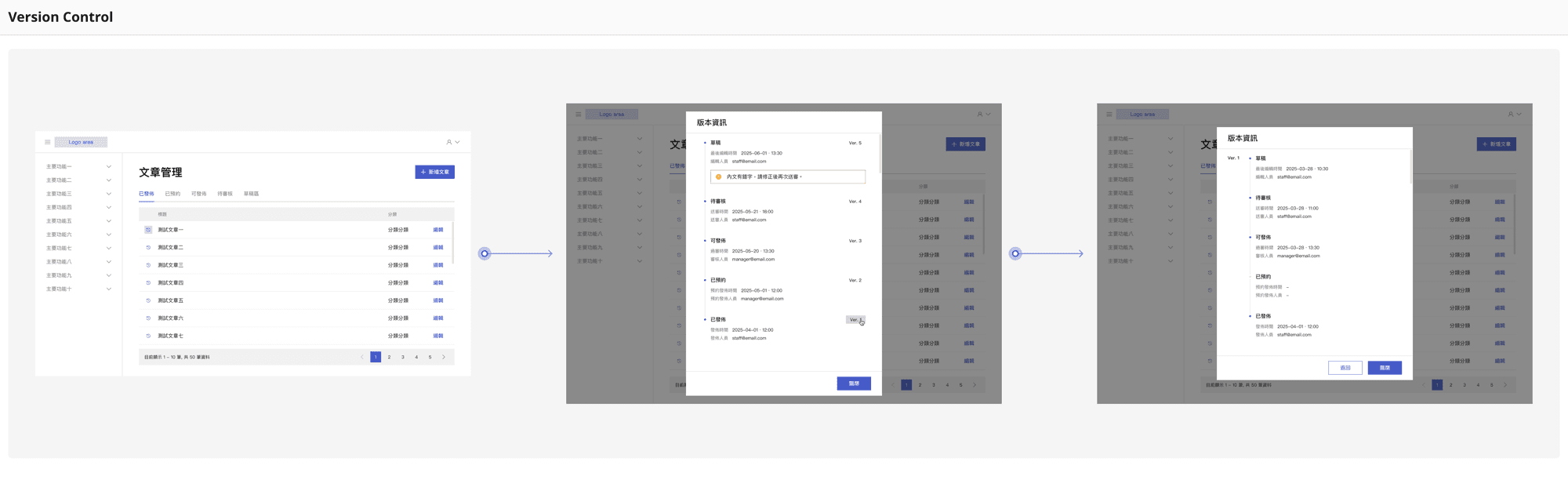
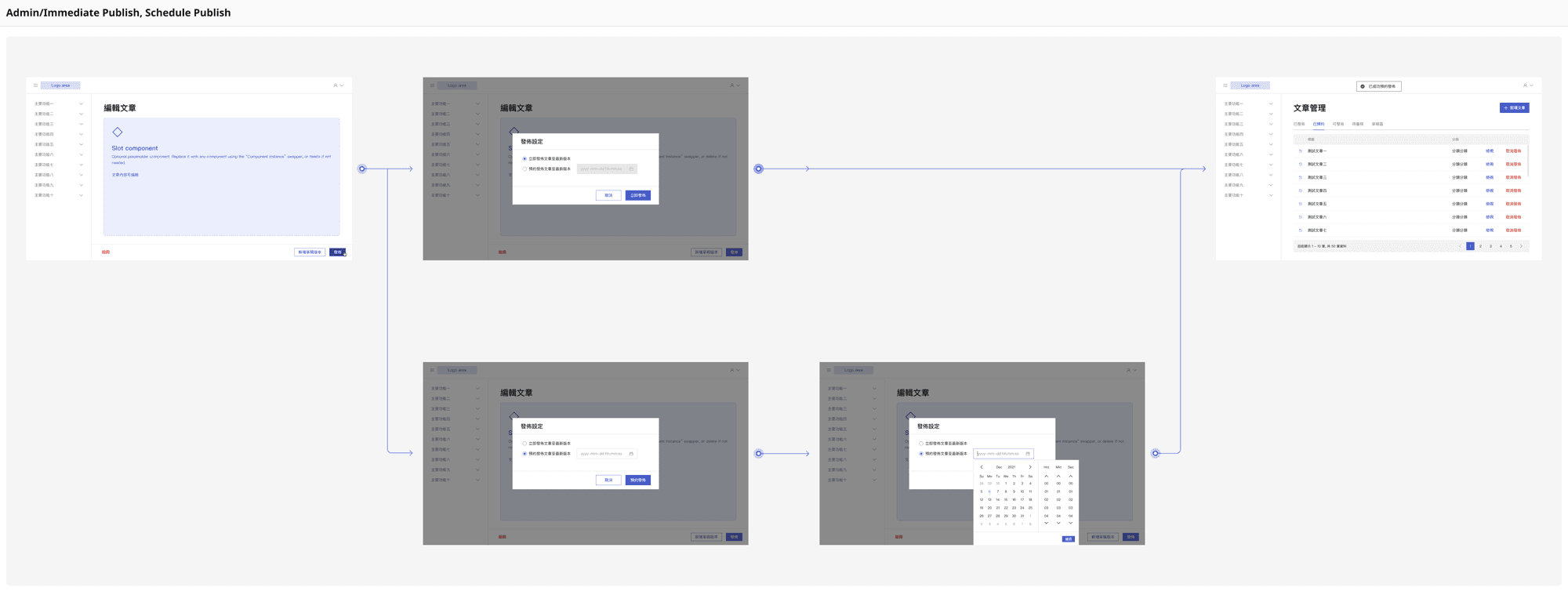
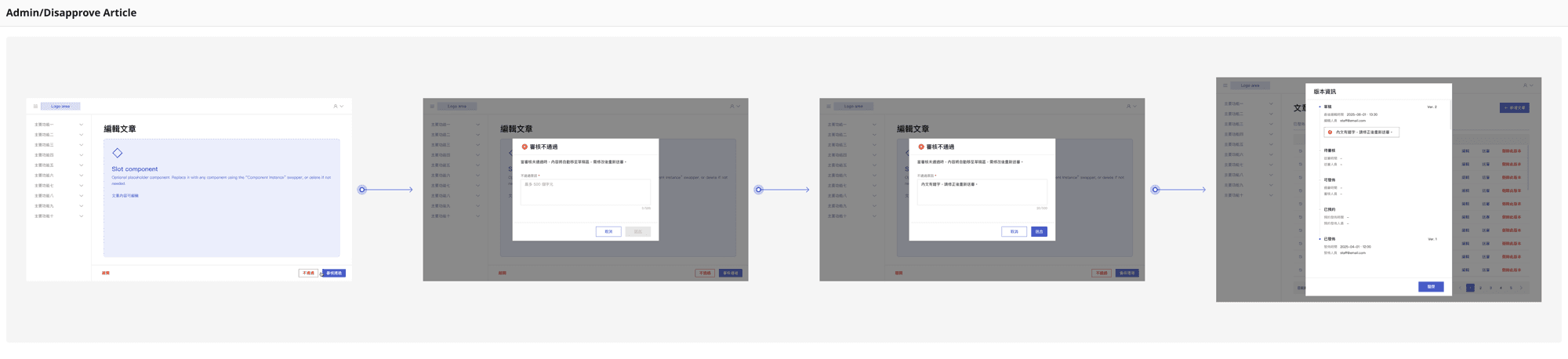
Publishing was not a single action. With review and approval, “published” becomes a state reached through different roles and transitions — requiring clear definitions for what each state means, what triggers it, and which version it refers to.
Approach
Role model and article state model
Role model
- Editor: drafts and submits content for review
- Admin: reviews, approves/rejects, and controls publication
Editors cannot publish directly. This boundary reduced ambiguity and made workflows easier to define.
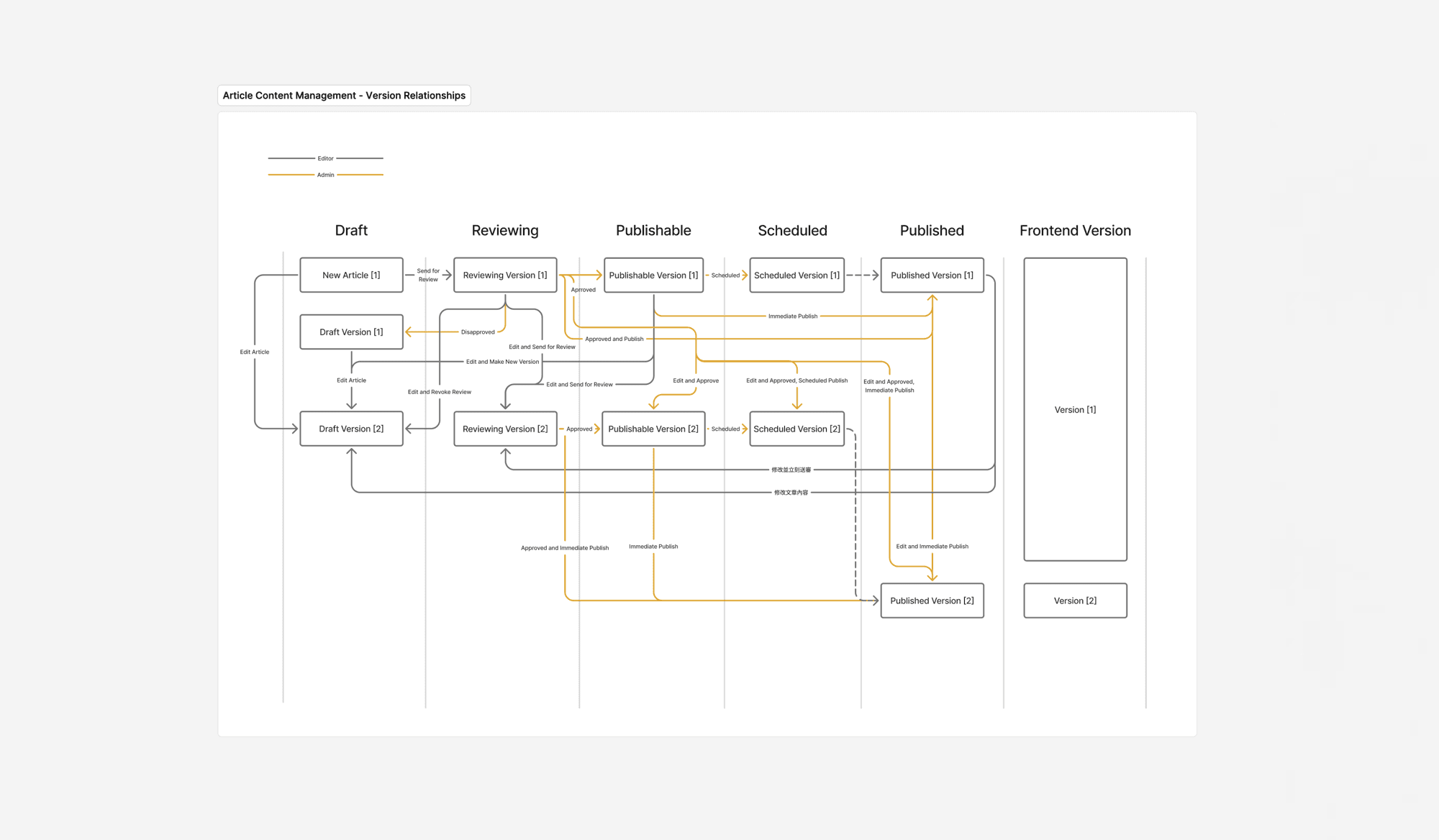
Role and version control information architecture
Article state model
- Draft (草稿): In progress, not submitted.
- Reviewing (待審核): Submitted by editor, awaiting admin review.
- Publishable (可發佈): Approved, ready to publish.
- Scheduled (已預約): Approved and set for a future time.
- Published (已發佈): Live on the site.
I also mapped non-happy paths: rejection, return-to-draft, editing live content, rescheduling, and version ownership across transitions.
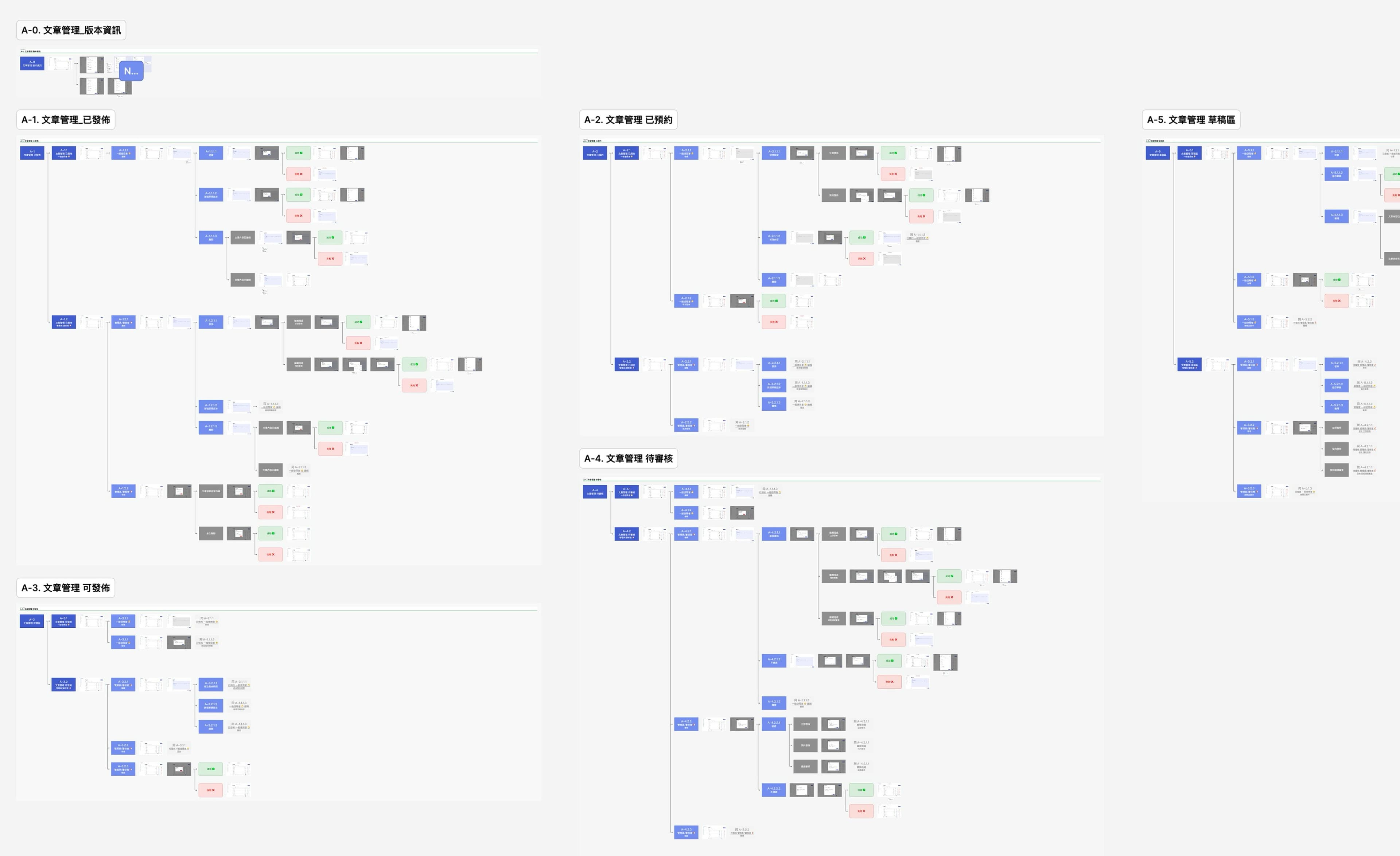
Editorial flow mapped by role: Editor vs. Admin
Outcome
Shipped and active
- End-to-end publishing flow handed off with implementation-ready specs.
- Reduced spin-up time for new client CMS instances by standardising the core model.
- Shared source of truth across PM, design, and engineering — fewer rebuilds, more consistent state and schema decisions.
Reflection
What I'd do differently
Standardization required clear decisions on what must stay fixed versus what can be configured per client. Defining the state model before UI design was the most valuable thing I did — it made every interaction decision easier to validate and reduced rework throughout.
NDA
Portions may be under NDA. For deeper context, get in touch.