UBS Plan Mode
Enabling active financial planning among disengaged users through structured goal-planning experiences
🏆 Selected first among 6 teams by the UBS Design team
Core Concept
UBS Plan Mode introduces a dual-mode home screen that separates everyday banking actions from structured financial planning — turning a buried feature into an active, goal-oriented experience. Selected first among six competing teams by the UBS Design team.
My Role
- User researchdiscovery interviews and usability testing
- Insights & ideationsynthesis, insight framing, and concept direction
- All UI designwireframes through high-fidelity, lead UI designer on the team
- Prototype & presentationinteractive prototype and final presentation
Brief
Planning tools buried in a transactional bank
UBS key4 Mobile is a mobile-first digital banking service enabling fully digital account opening and end-to-end banking via smartphone. Over two months, UBS's Design Operations and Mobile teams set the following challenge:
Simplify UBS Mobile with a focus on financial education, creating less complex, more intuitive, impactful digital experiences, without reducing capabilities.
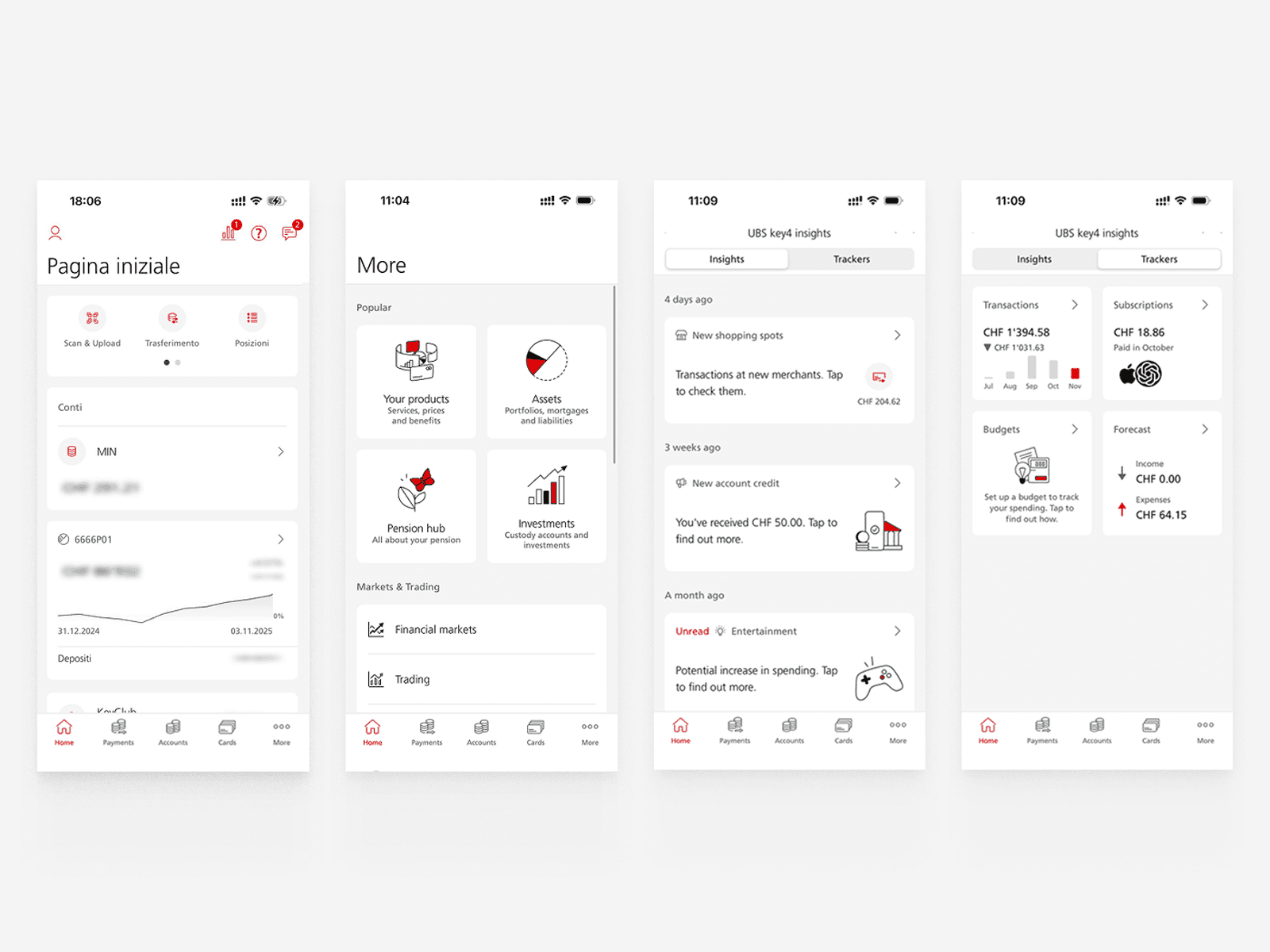
The current UBS Key4 App — Homescreen, Product overview, Key4 insights and Key4 trackers.
The existing Key4 Insights feature centred on four functions: expense monitoring, tips, subscription management, and a financial knowledge quiz. The problem was structural. Planning features were buried inside a navigation designed for transactional banking, and the interface offered no guidance for users who didn't already know what they needed.
Research
Research & Discovery

Research Assets
Through in-depth semi-structured interviews with four Swiss residents and a survey of European residents, we identified distinct patterns and behaviours related to financial planning across different contexts.
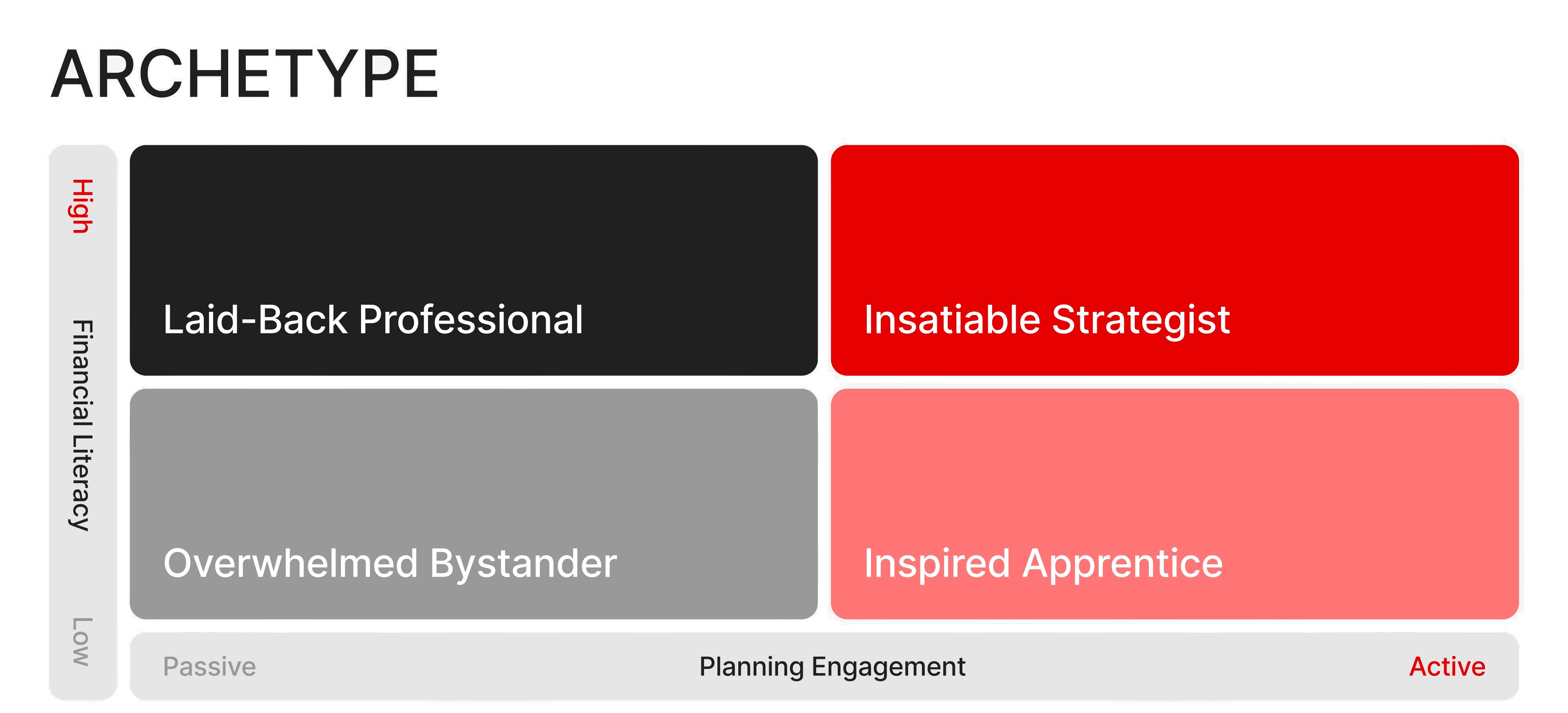
Rather than treating users as a single group, we mapped the user base across two axes: financial literacy and planning engagement. This revealed four distinct archetypes and made clear that the app was failing the two quadrants with low planning engagement regardless of literacy level.
Key Archetypes
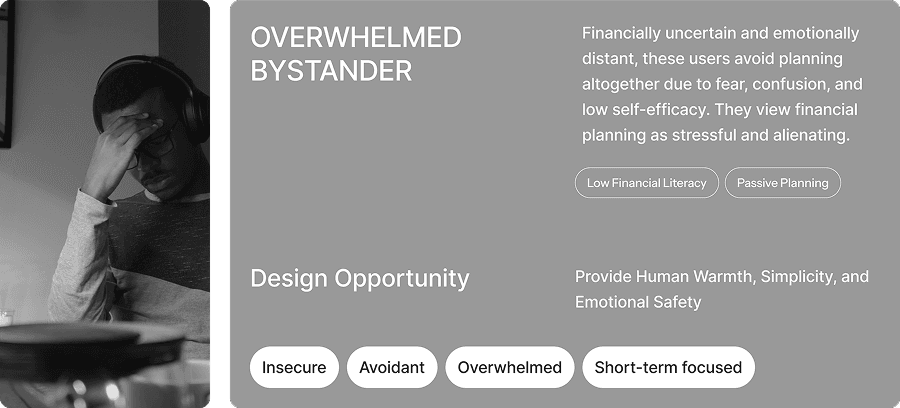
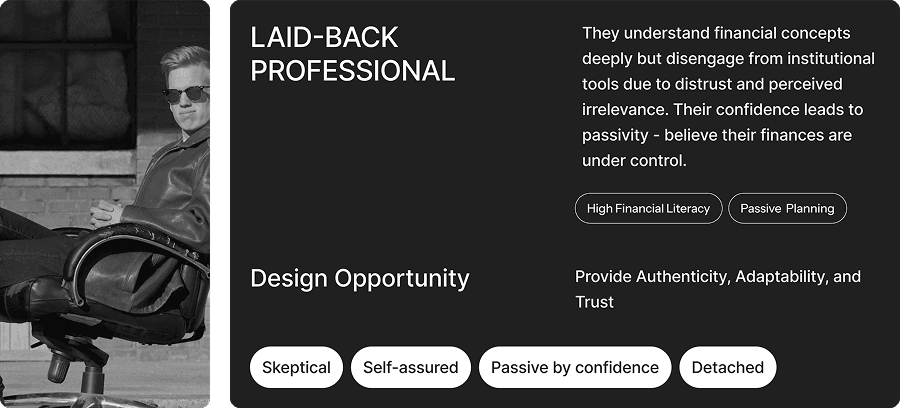
We focused on two distinct archetypes characterized by low engagement with financial planning. While their reasons differ, both share a passive attitude toward planning. Our design goal was to transform that passiveness into active motivation and engagement.
Key Research Insights
Research focused on Swiss UBS account holders. Interviews and survey results surfaced four recurring patterns:
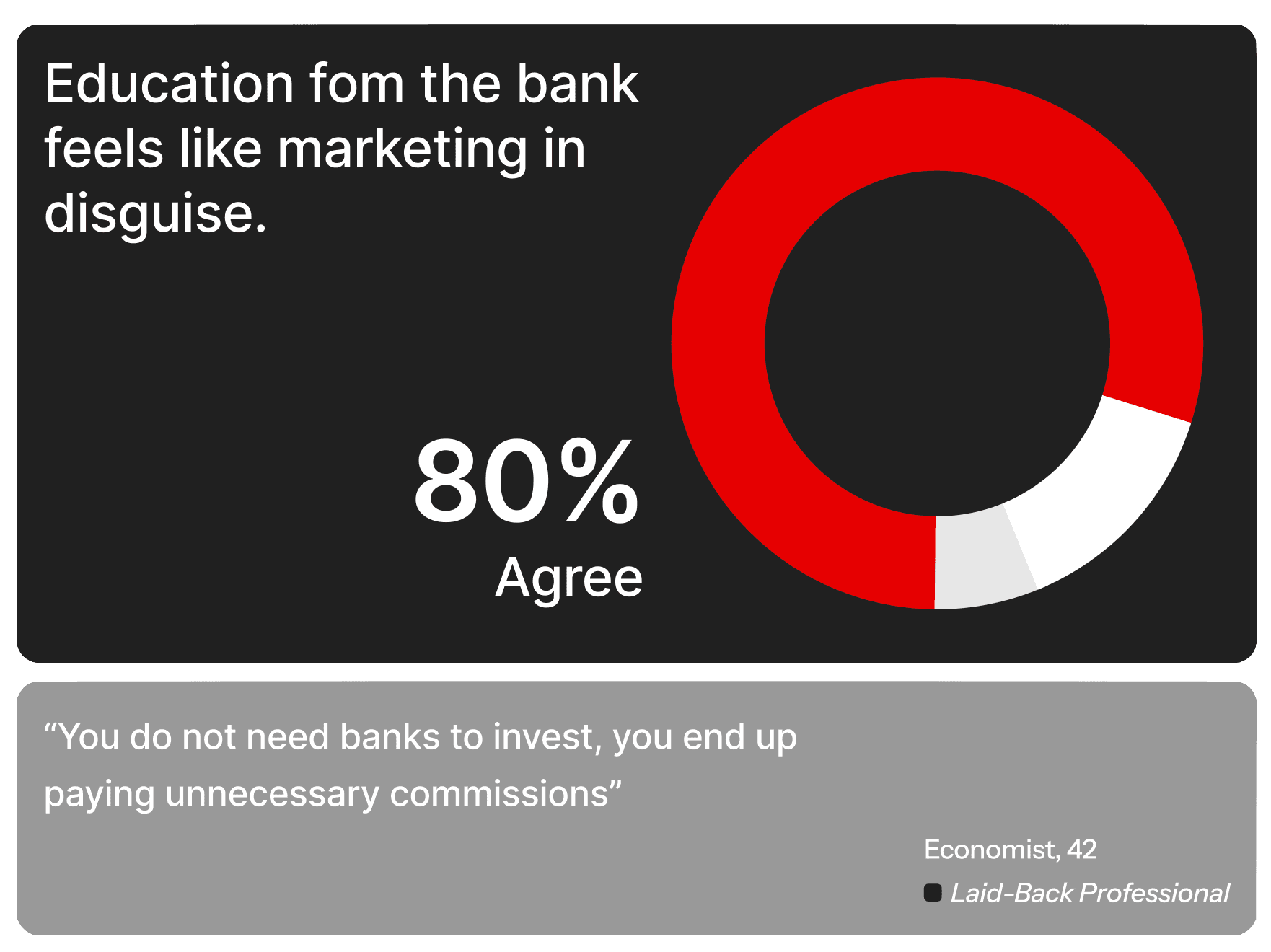
1. Users are not static segments. Differences in financial literacy and readiness lead to misaligned features and disengagement.
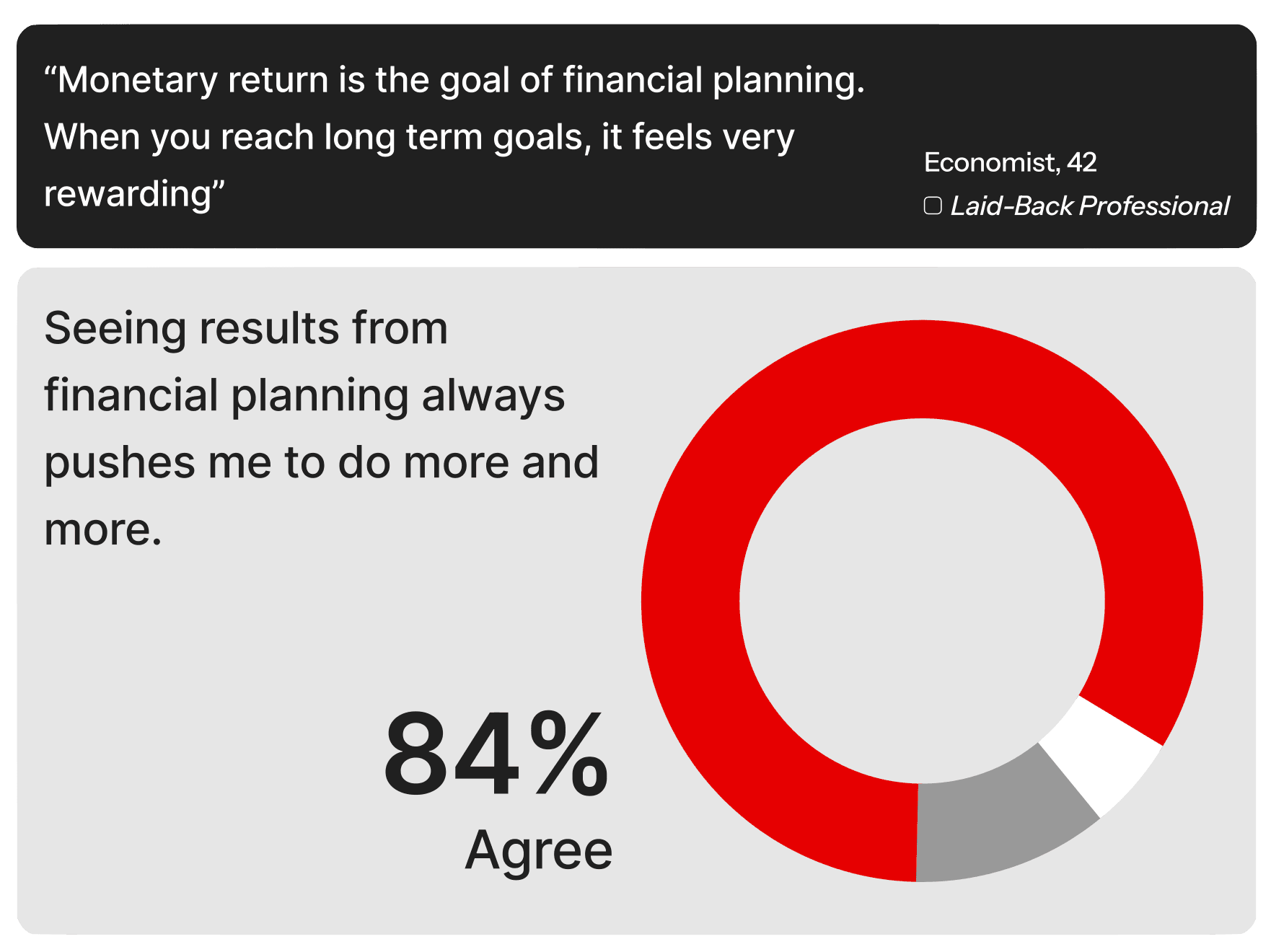
2. No progress indicators, no motivation. Without visible personal progress, users stop engaging with advice and products.
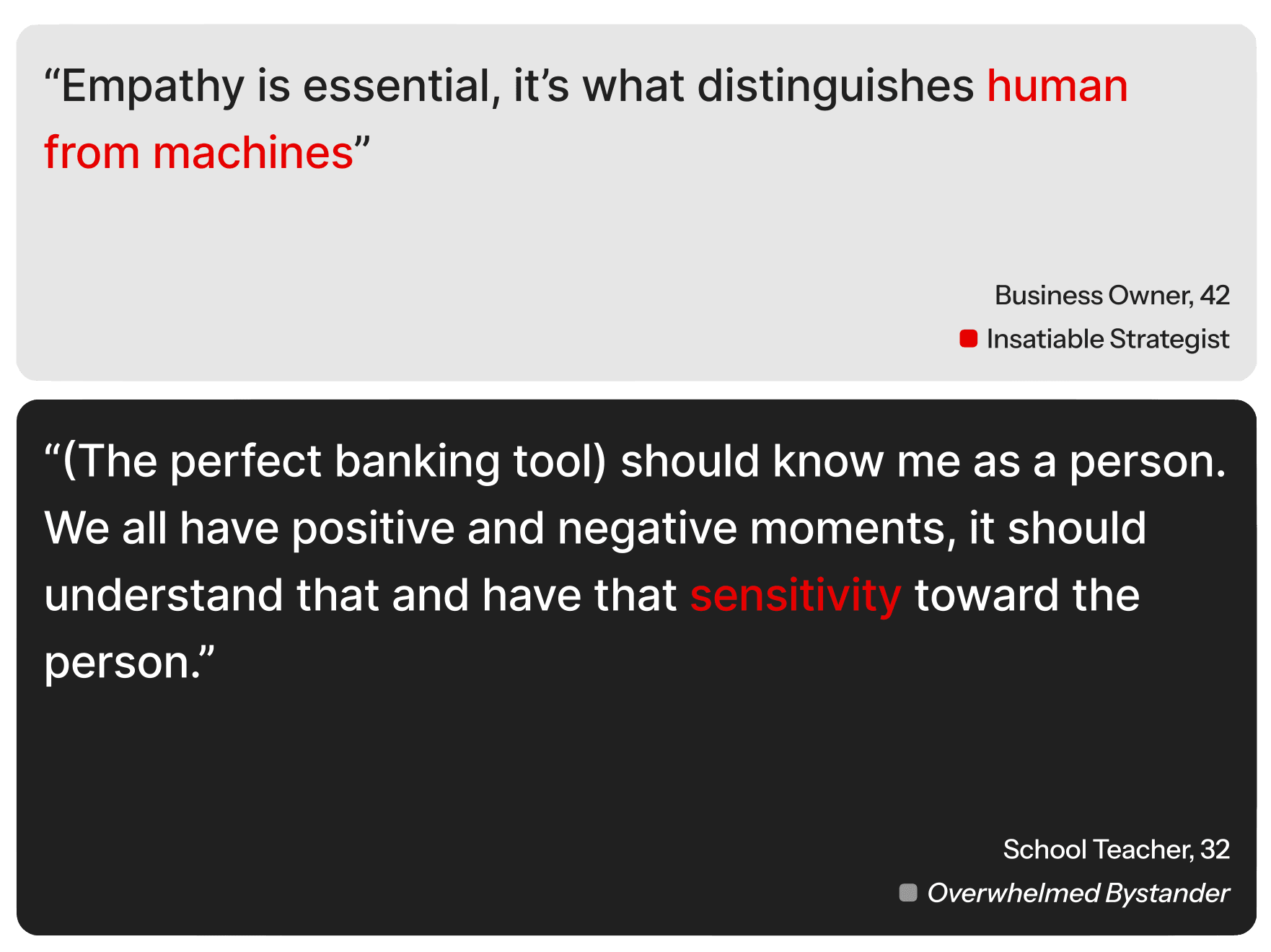
3. Advice feels institutional. When guidance is transactional rather than personal, trust with the bank never forms.
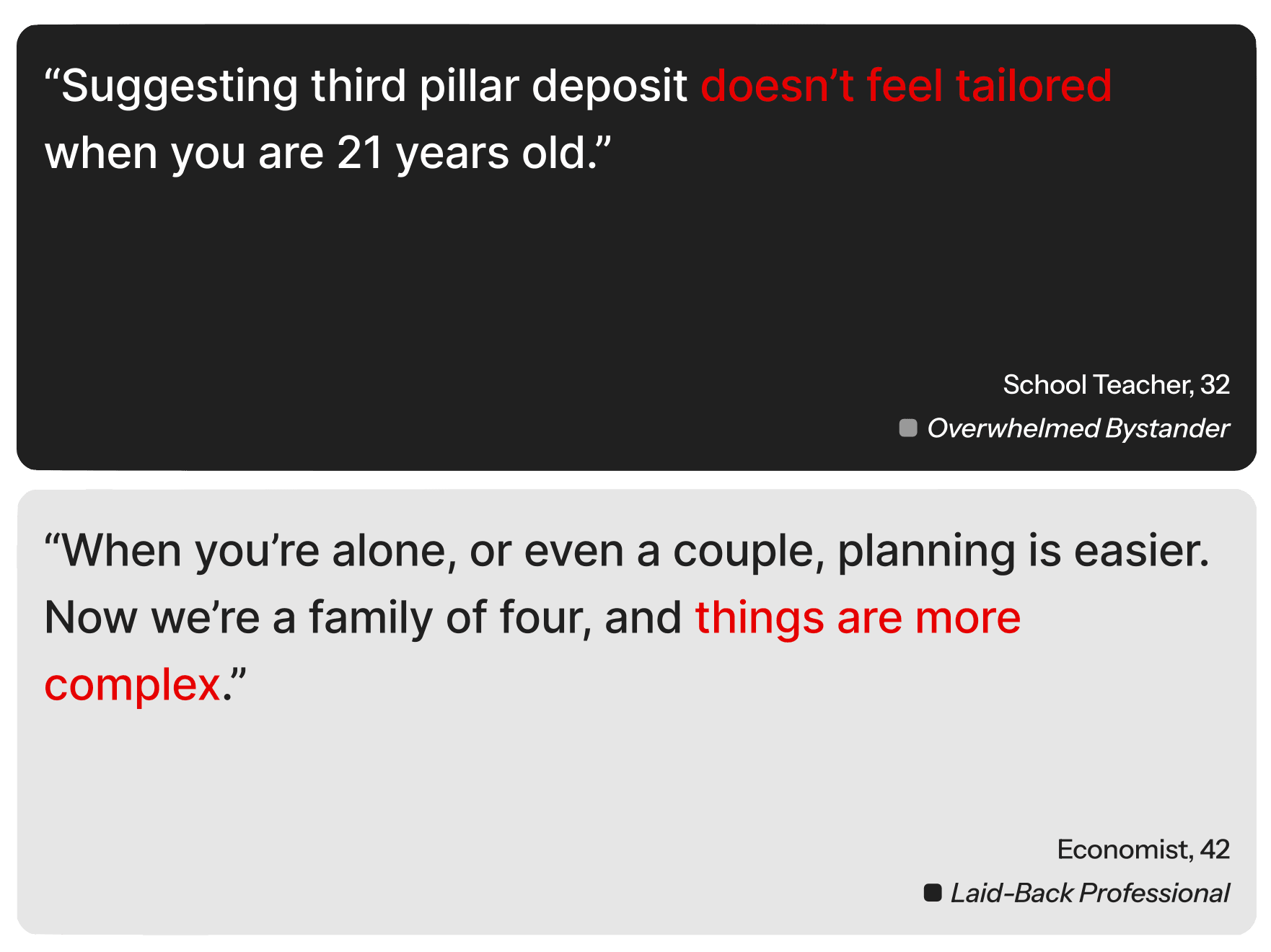
4. The risk–time framework lacks the human factor. Standard planning tools don't map to how people actually think about money and goals.
Problem Statement
How might we turn banking into an adaptive space that scales with user expertise, while removing complexity as a barrier to meaningful financial learning and action?
The core tension: feature richness versus navigability. The app had the capabilities; the architecture made them invisible to the users who needed them most.
Design Process
From three opportunities to a tested prototype
Ideation
Three design opportunities emerged from research:
Opportunities
- Clear, transparent data visualisation to reduce overwhelm and build confidence in less-knowledgeable users.
- Real-time contextual guidance to add a human touch and reduce the institutional feel.
- Financial goals reframed as concrete, achievable milestones rather than abstract aspirations.
Five features were initially proposed: Financial Literacy Onboarding, Planning Dashboard, Saving Goals, Product Pathway, and Learn Mode.
Low-Fidelity Prototyping
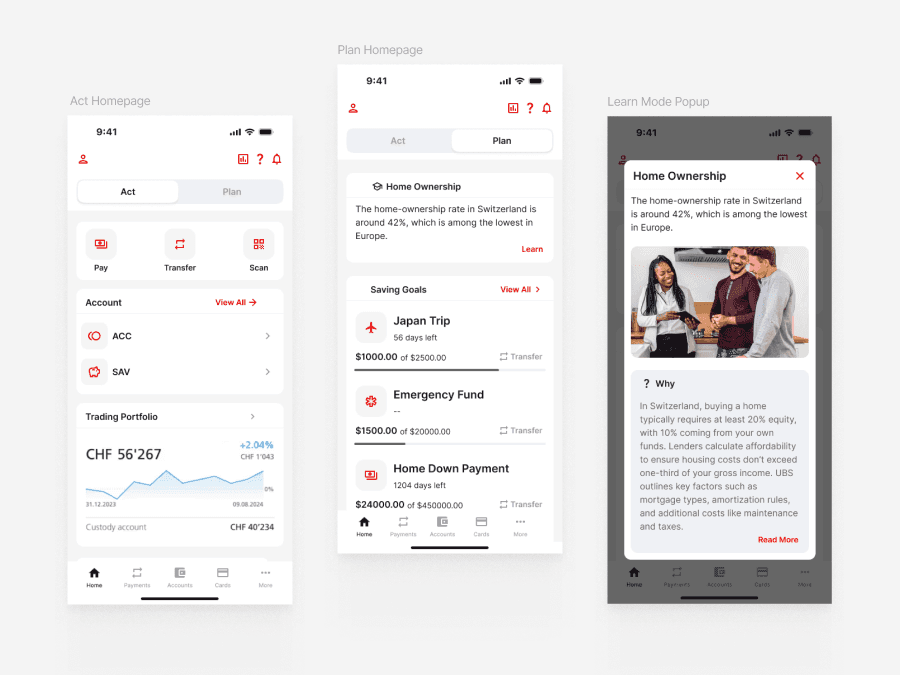
Initial wireframes were tested with the UBS Mobile team to pressure-test each proposed feature against real product constraints and team priorities.
High-Fidelity & A/B Testing
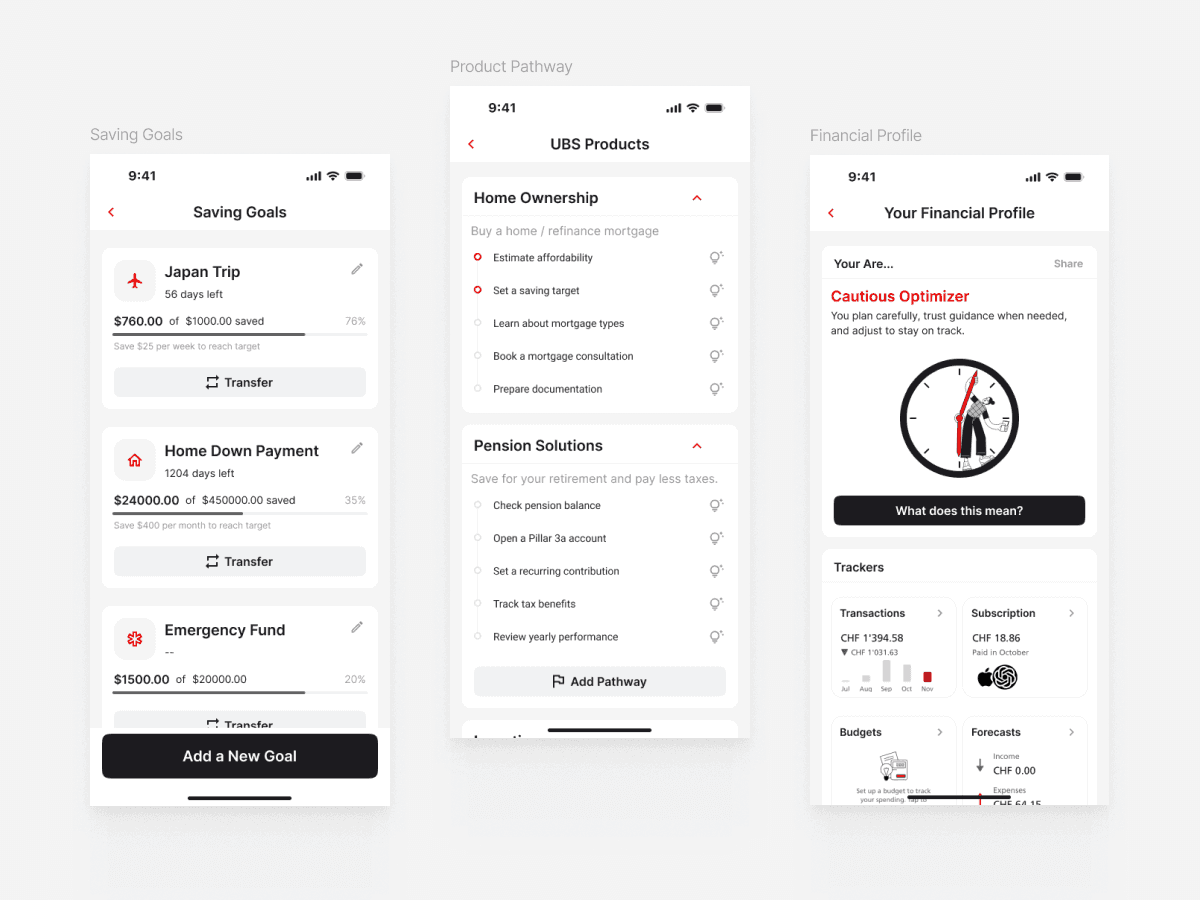
The final features were refined and tested in a Hi-Fi prototype. A central focus of user testing was the Act/Plan toggle placement. Three layout variations were tested with different users to find the most discoverable and thumb-friendly position.
Key Iterations
Testing showed that the concept was promising, but several interaction details created friction in the first round. I used these findings to simplify entry points, reduce setup effort, and make the Act/Plan separation more discoverable.
- Act/Plan toggle: Redesigned with stronger visual hierarchy after users frequently overlooked its original placement.
- Plan Mode: Split features into separate cards to reduce clutter and support more focused decision-making.
- Saving Goals: Simplified onboarding by starting with only a goal name and target amount, while moving advanced settings to later steps.
- Learn Mode: Removed standalone educational content and integrated contextual guidance into Plan Mode to avoid interrupting the user experience.
Validation after iteration
- Finding and creating a savings goal: 75% → 100%
- Understanding product differences without an advisor: 50% → 75%
- Switching between Act and Plan modes: 25% → 100%
Solution
The Final Product
The solution introduces a dual-mode home screen with an Act/Plan toggle that aligns the interface with user intent, supported by three planning modules and a redesigned visual system.
Core Feature: Dual-Mode Home Screen
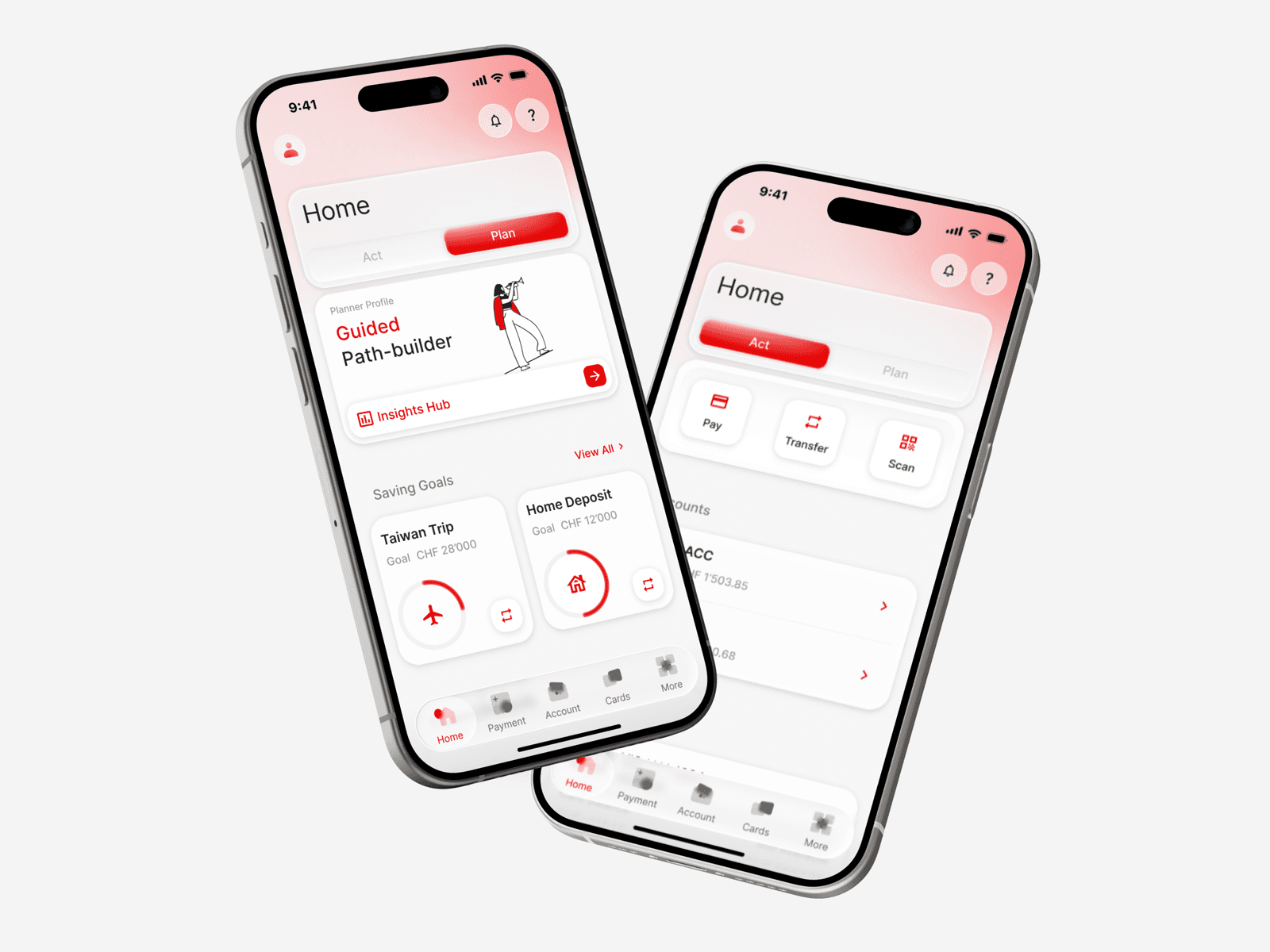
The home screen is restructured around a clear separation between transactional and planning contexts. Daily banking tasks and deliberate financial decisions no longer compete for the same visual space.
Act Mode
Plan Mode
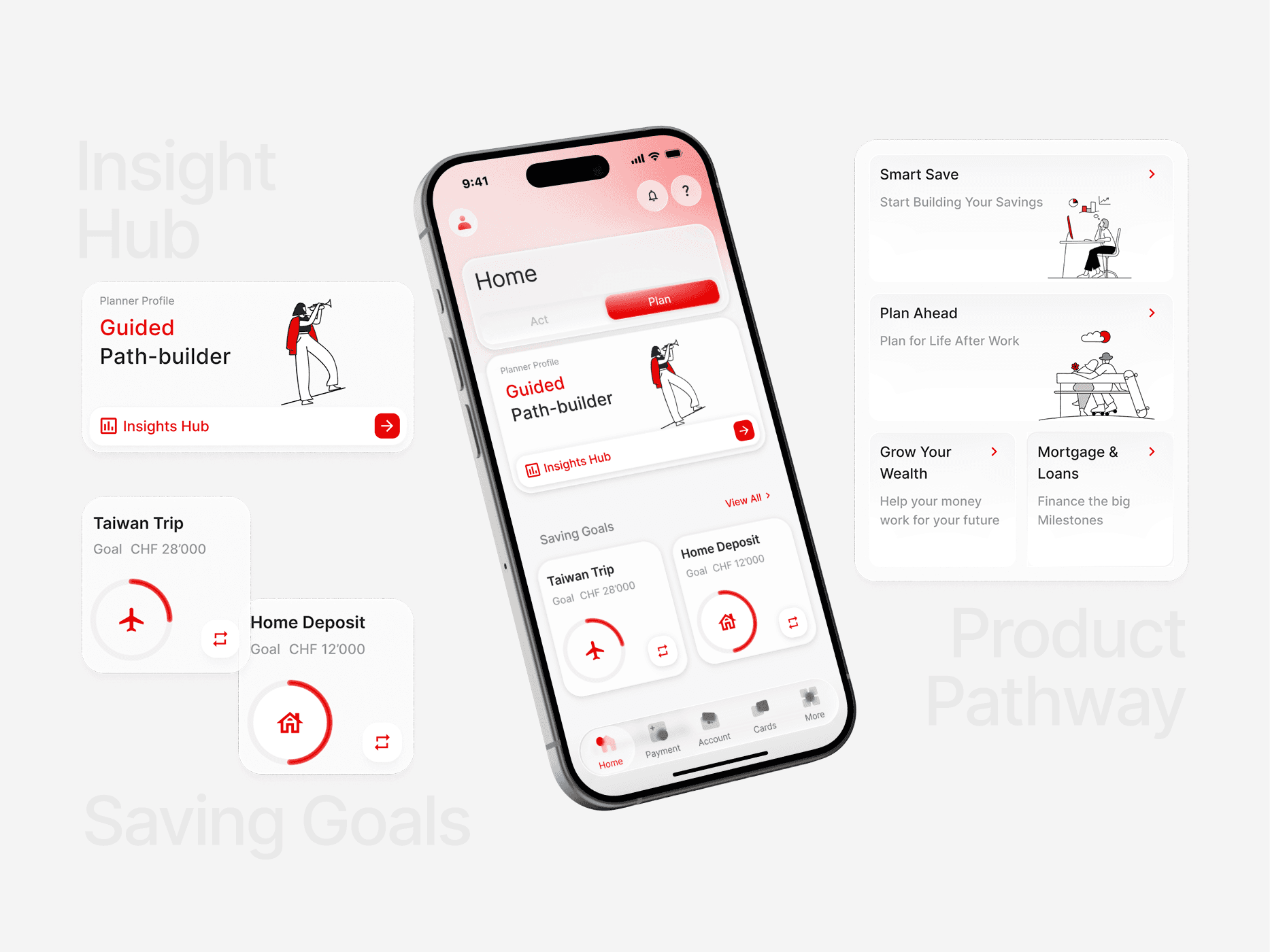
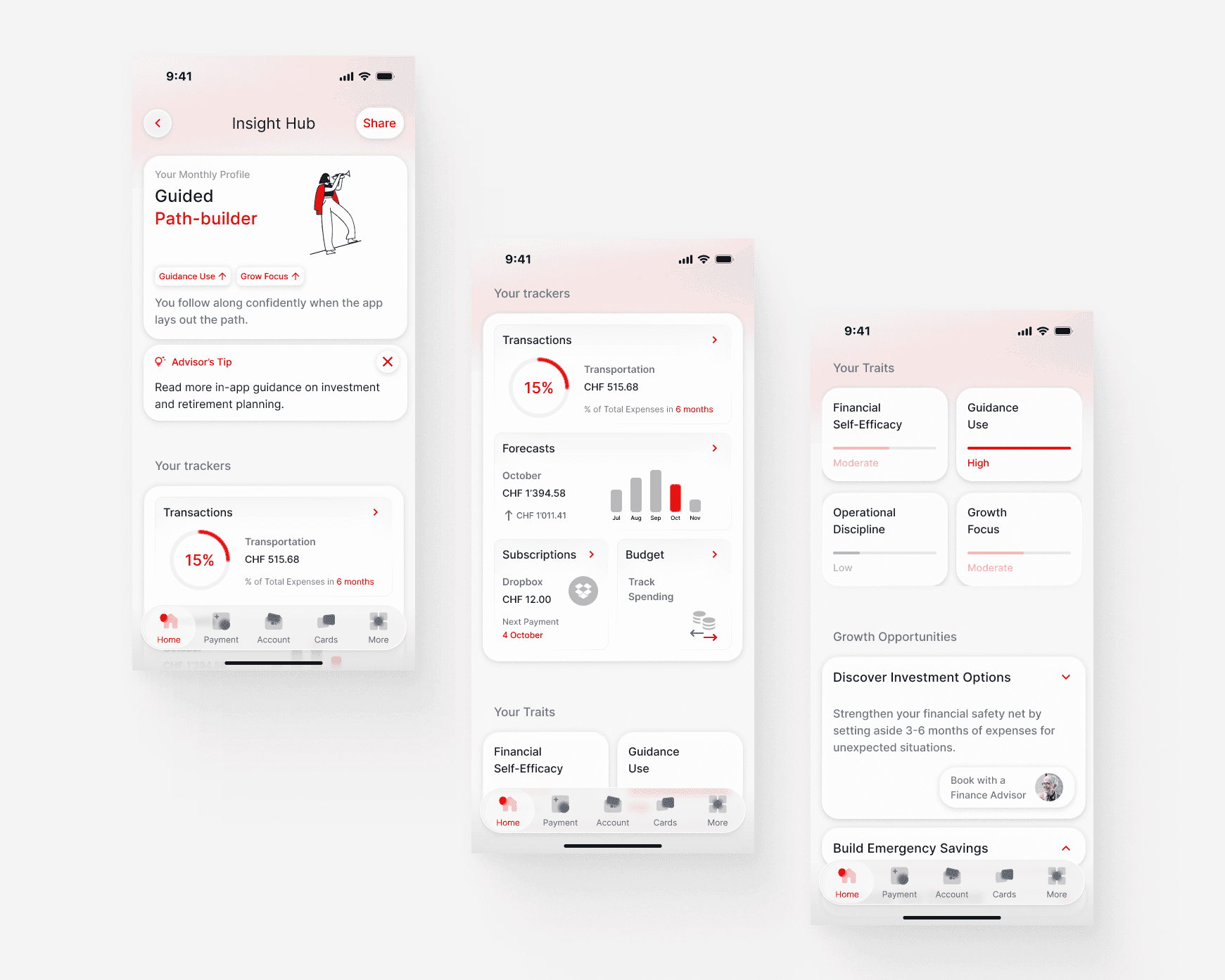
Feature 1: Insight Hub
- Behavioural profile quiz (6 questions): captures financial personality and goals at setup, used to personalise all Insight Hub content.
- Personalised guidance: contextual nudges derived from the user's actual transaction data, not generic marketing copy.
- Financial trackers: spending patterns, category trends, and progress metrics surfaced as readable summaries, not raw data.
Feature 2: Saving Goals
Users create named goals with target amounts and timelines (e.g. Taiwan Trip, Home Deposit). Abstract intentions like "I should save more" become concrete: "Transfer CHF 200 to Taiwan Trip goal."
- Progress rings show completion at a glance
- Quick-transfer buttons enable immediate contributions from goal cards
- Icon-based goals categorised by life moment rather than financial product type
Feature 3: Product Pathway
UBS's extensive product catalogue reorganised into four guided micro-journeys. Each journey leads with educational content in plain language before asking for any commitment.
- Smart Save — start building savings
- Plan Ahead — plan for retirement
- Grow Your Wealth — long-term investment
- Mortgage & Loans — finance major milestones
Design System
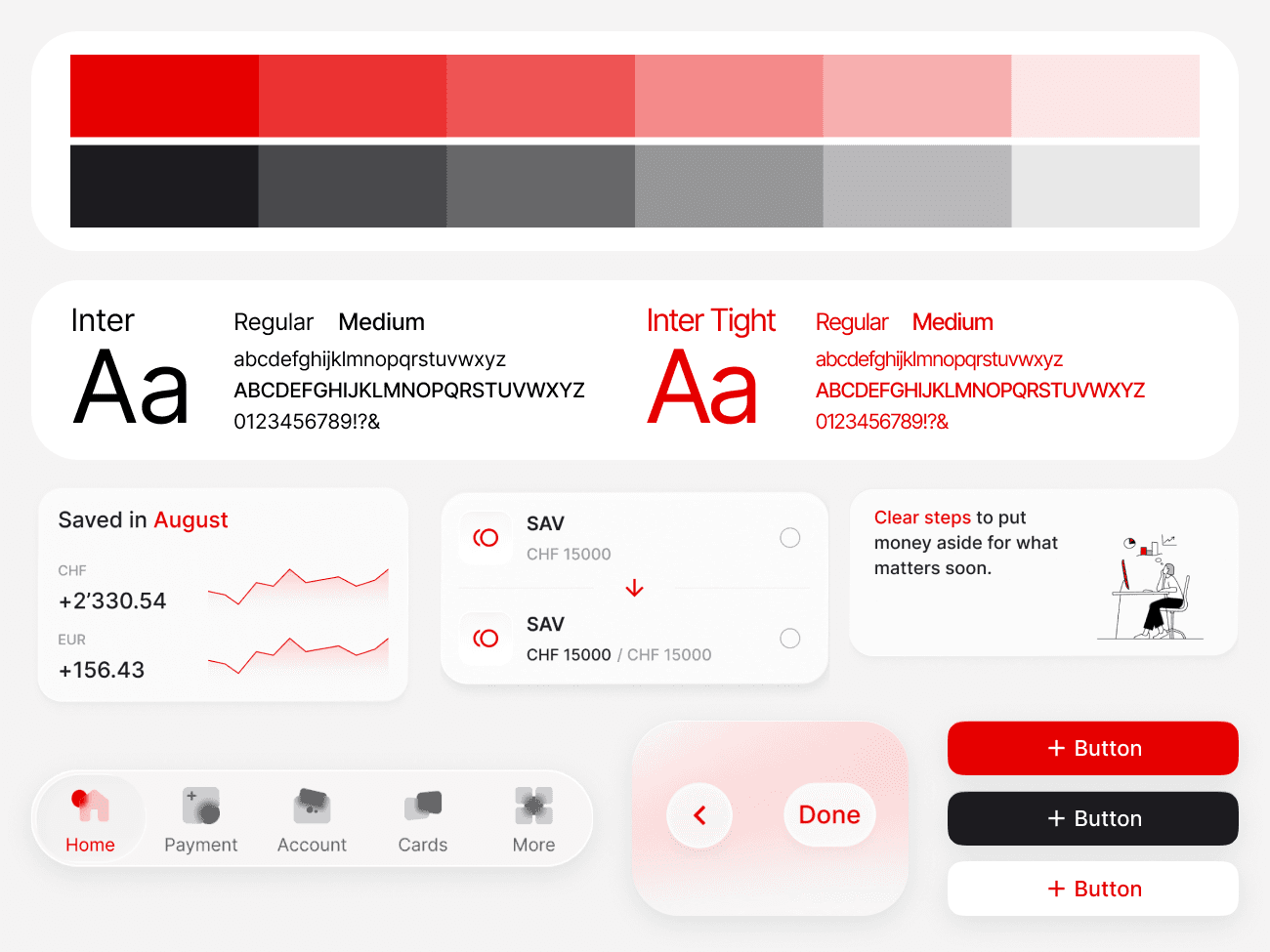
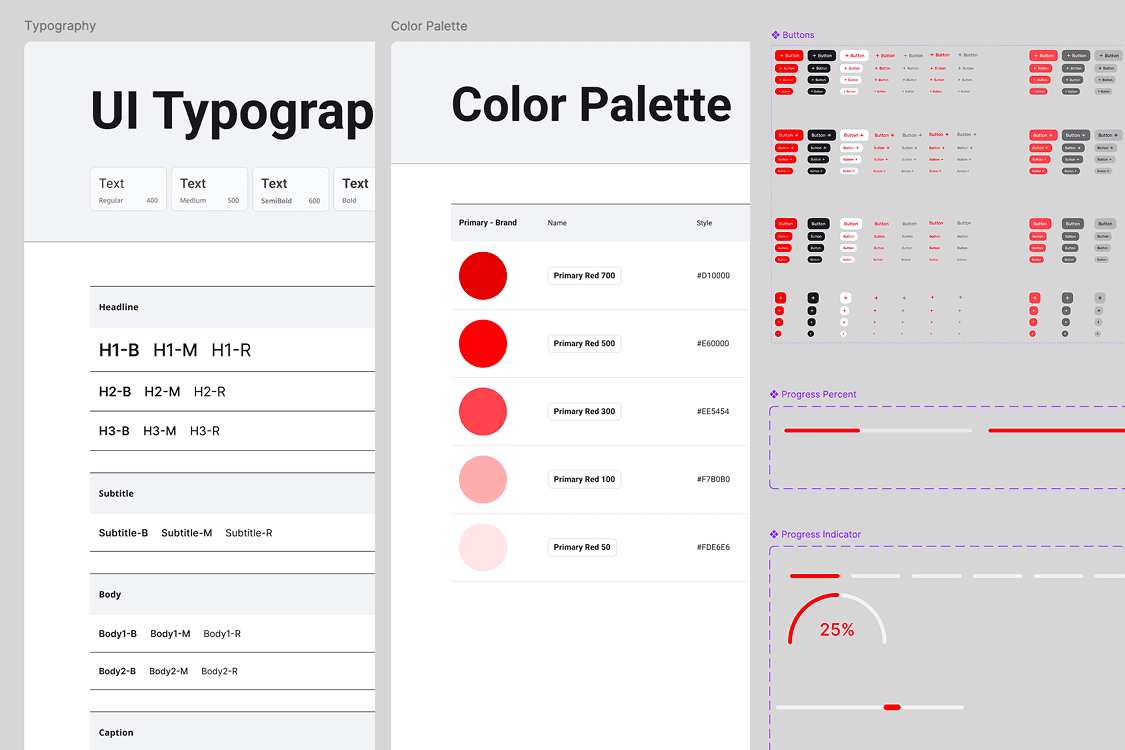
Glassmorphism within UBS brand guardrails
The visual language evolved from UBS's original system toward a glassmorphism aesthetic, maintaining brand consistency while reducing visual weight. The key emotional register: institutional trust + reduced overwhelm + increased warmth.
Outcome
Selected first among six teams
The final design organised UBS Mobile around two intents: Act for daily banking and Plan for financial decision-making.
User Value
- Overwhelmed Bystanders gain a low-pressure way to build financial confidence; goals feel concrete, and product exploration requires no immediate commitment.
- Laid-Back Professionals can bank efficiently while accessing guidance when needed, without being forced through unnecessary onboarding.
Product Value
- Makes planning features easier to discover without disrupting banking tasks.
- Enables lightweight personalisation through behavioural profiling.
- Testing validated the overall direction: clearer mode switching, simpler goal creation, and more understandable product exploration.
Result
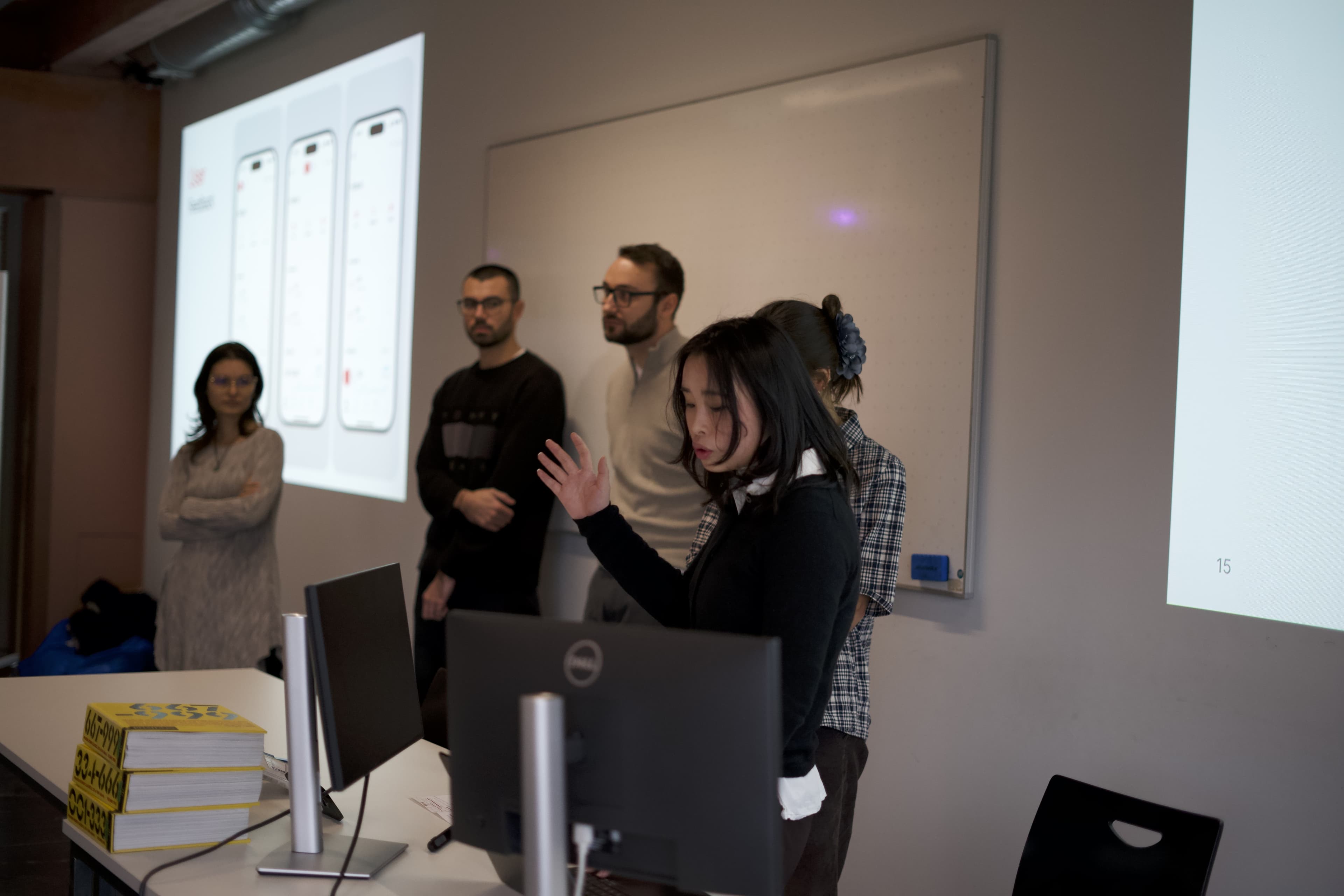
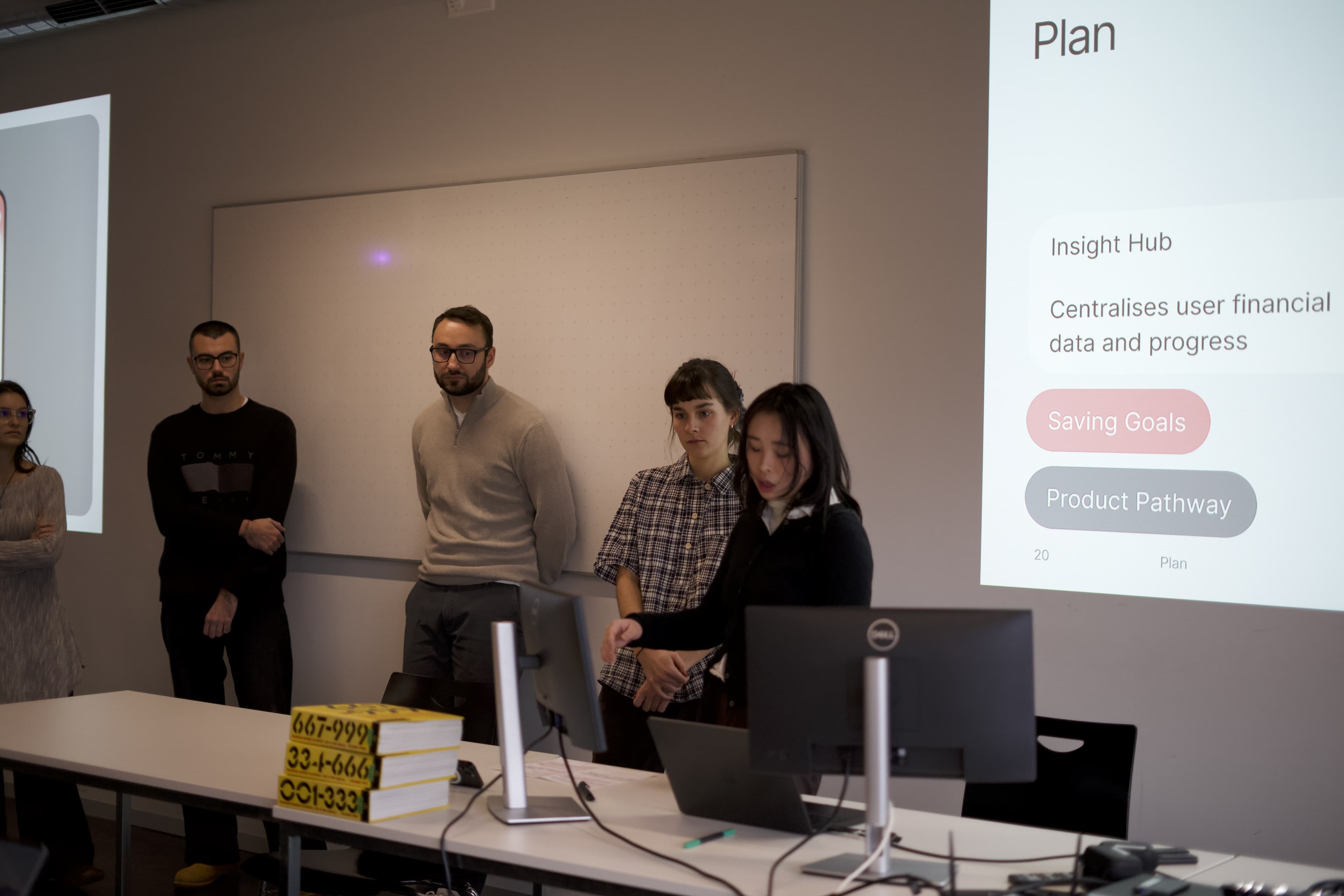
Among six student teams, our design was selected first by the UBS design team.
Reflection
What worked, what I'd change, and next steps
What worked
The visual UI was the strongest outcome. Designing glassmorphism within real constraints like brand, trust, and accessibility made the work more rigorous, and deepened how I think about designing for trust in fintech.
What I'd change
The Act/Plan toggle takes up valuable space and would need rethinking as the product grows. Glassmorphism also behaves differently across iOS and Android, which would need resolving before any broader rollout.
Next steps
Validate feasibility with real UBS users, focusing on Insight Hub personalisation and the long-term discoverability of the Act/Plan toggle.